RUN THE
Validation Kit

Don’t believe it.
Verify it.
THE Validation Kit lets you independently validate a .loko Evidence Package offline,
on your own machine, with deterministic PASS/FAIL outputs.
Run it offline.
Break it on purpose.
Watch it fail.
Restore it.
Watch it pass.
Send the receipts.
What you download

1. LokoKit (Windows & Linux)

2. Demo Evidence Package (.loko)

LokoKit (Windows & Linux)
A portable zip/gzip that contains
LokoKit and bundled dependencies
(including ffmpeg). Includes SHA256 files.

Demo Evidence Package
(.loko)
A separate download:
011202602_dist.loko + SHA256 file.

Offline verification: no network required during the run.

Integrity checks: SHA256 + byte size published for every download.

Binary trust: code-signing status stated clearly (and SBOM available on request).

Safe to share: the receipt bundle contains only verification outputs when using the sample package.

Return options: secure upload or monitored email intake.

Enter your evaluation code to mint time-limited download links.

Verify the downloads

Before you run anything,
confirm the published
SHA256 and bytes match
what you downloaded.

If their numbers match,
integrity is confirmed.

Use any text editor to inspect .sha256 files.
LokoKit_win_x64_v0.0.5.zip

size=46856562

sha256=97649ebb43c7f4588c12a2f6ce820ddbff0b275c077e20136852ba4578af5d9f
LokoKit_linux_x86_64_v0.0.6.tar.gz

size=136756531

sha256=b5ba00c9ef724afd39ccfe8f56e97c8137eabf4284b0adb39dc779766958d651
011202602_dist.loko

size=630860219

sha256=ac6f0620c20f2b51a90c00f58f2e60c1790aa4659764efbd701f589aa6e964f6
RUN
Time to run: 10-15 minutes.

Windows (Windows 10/11, x64)

1. Unzip the LokoKit zip anywhere (example folder: C:\LokoKit\test).

2. Put the .loko file somewhere you can find it (example: C:\LokoKit\incoming\011202602_dist.loko).

3. From inside the unzipped kit folder, run this command in PowerShell:

.\lokokit.exe run --loko C:\LokoKit\incoming\011202602_dist.loko --out-session REVIEW_011202602 --force


Linux (Ubuntu 22.04+, x86_64)

1. Download the LokoKit Linux tar.gz and extract it anywhere (example folder: ~/LokoKit/test).

2. Put the .loko file somewhere you can find it (example: ~/LokoKit/incoming/011202602_dist.loko).

3. From inside the extracted kit folder, run this command in Terminal:

PROOF_FFMPEG="$PWD/third_party/ffmpeg/ffmpeg" ./lokokit run --loko ~/LokoKit/incoming/011202602_dist.loko --out-session REVIEW_011202602 --force
Optional (only if someone’s system loses execute bits after extracting): chmod +x ./lokokit

That’s it.
One command.

What happens when you run it

1) Unpack

2) Strict offline verification (PASS or FAIL)

3) Tamper Ritual

4) Replay checkout

The kit unpacks the .loko distribution into a local REVIEW_<SESSION> workspace.

The kit performs pinned, strict verification: signatures + provenance checks.

Output is deterministic: PASS or FAIL, with explicit reasons.

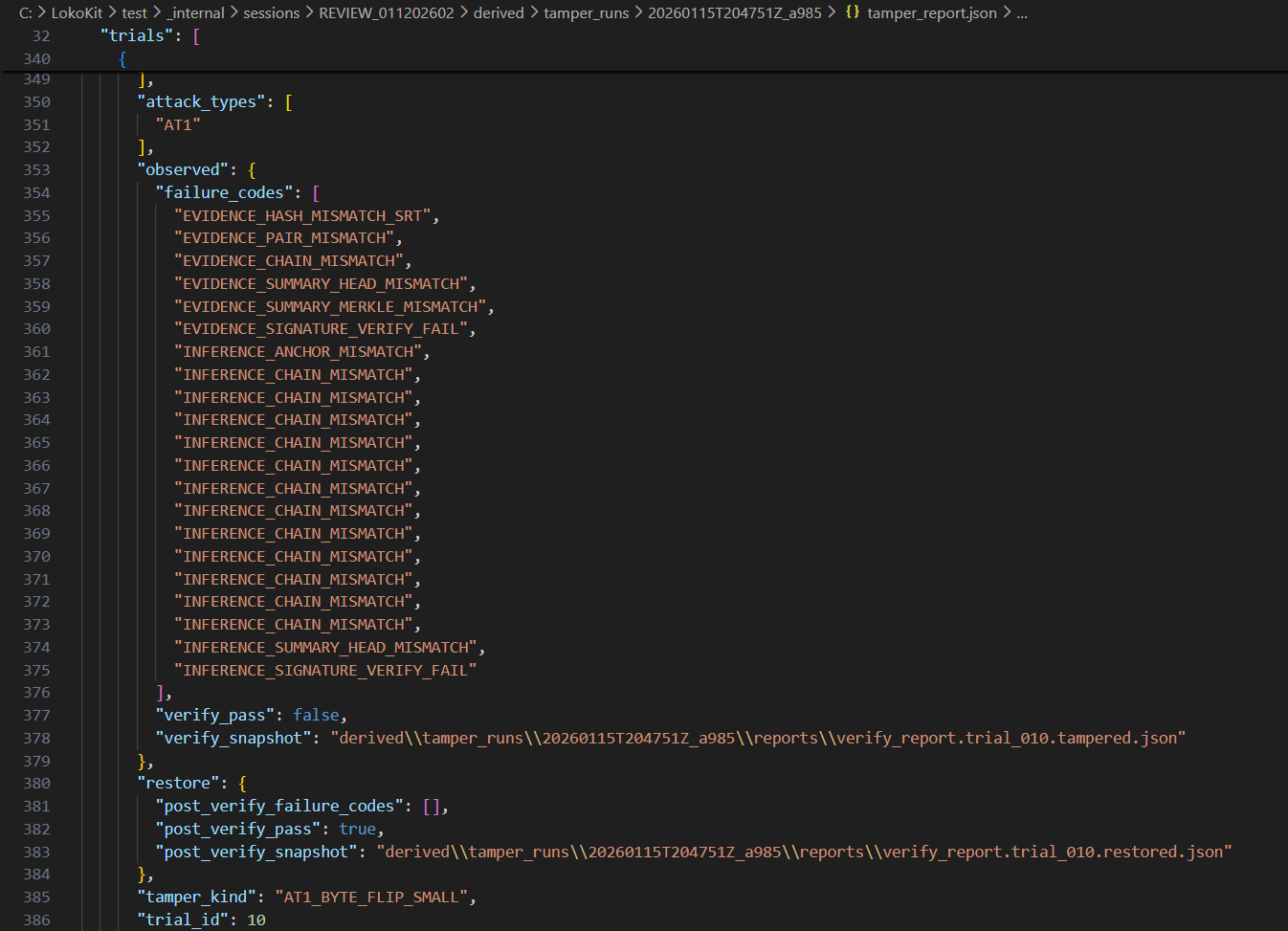
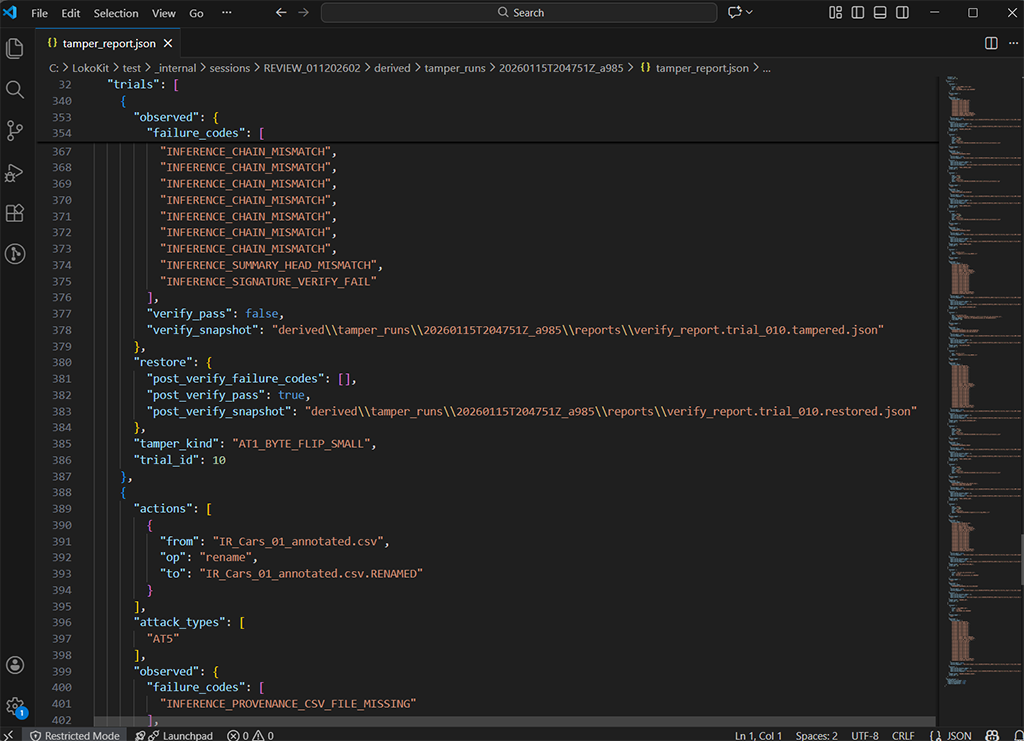
Multiple randomized trials run automatically.

Each trial must:
FAIL after tamper.
PASS after restore.

This proves detectability, not just happy-path validation.


Tamper types
The demo randomly picks from these kinds of tamper actions and expects verification to fail, then recover after restore:

Byte flip: flip 1 byte inside a file (example: subtitles or signed artifacts)

Missing content: delete or rename a required file (examples: CSV, inference MP4, evidence SRT)

Reorder: swap filenames between segments (examples: evidence video segments, inference segments, SRT segments)

Provenance tamper: modify provenance JSON or signature so the trace breaks


Replay checkout

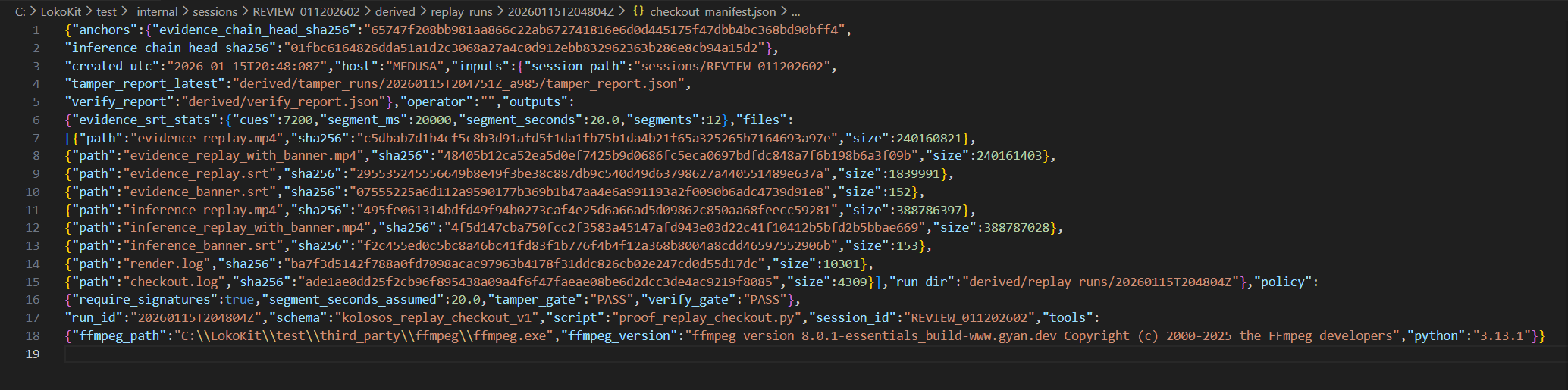
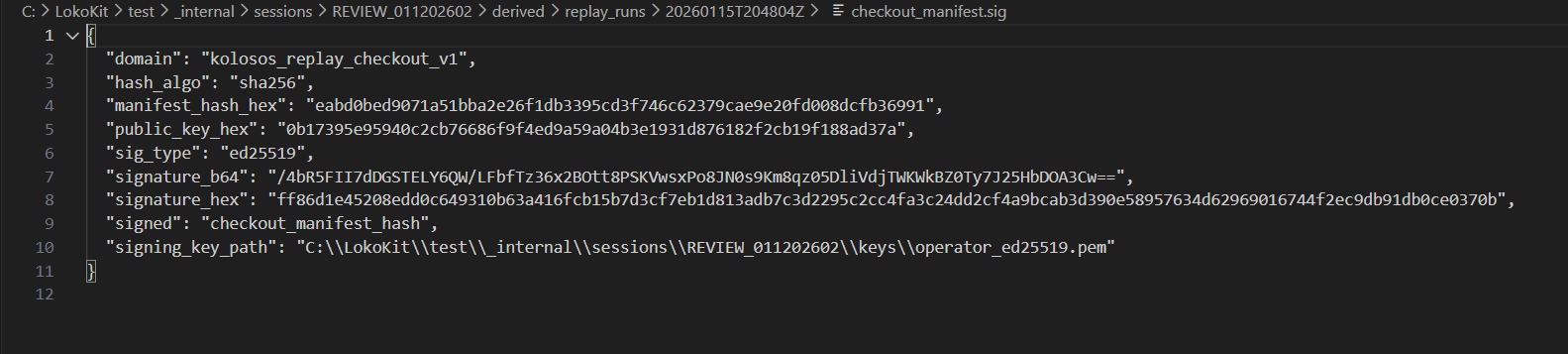
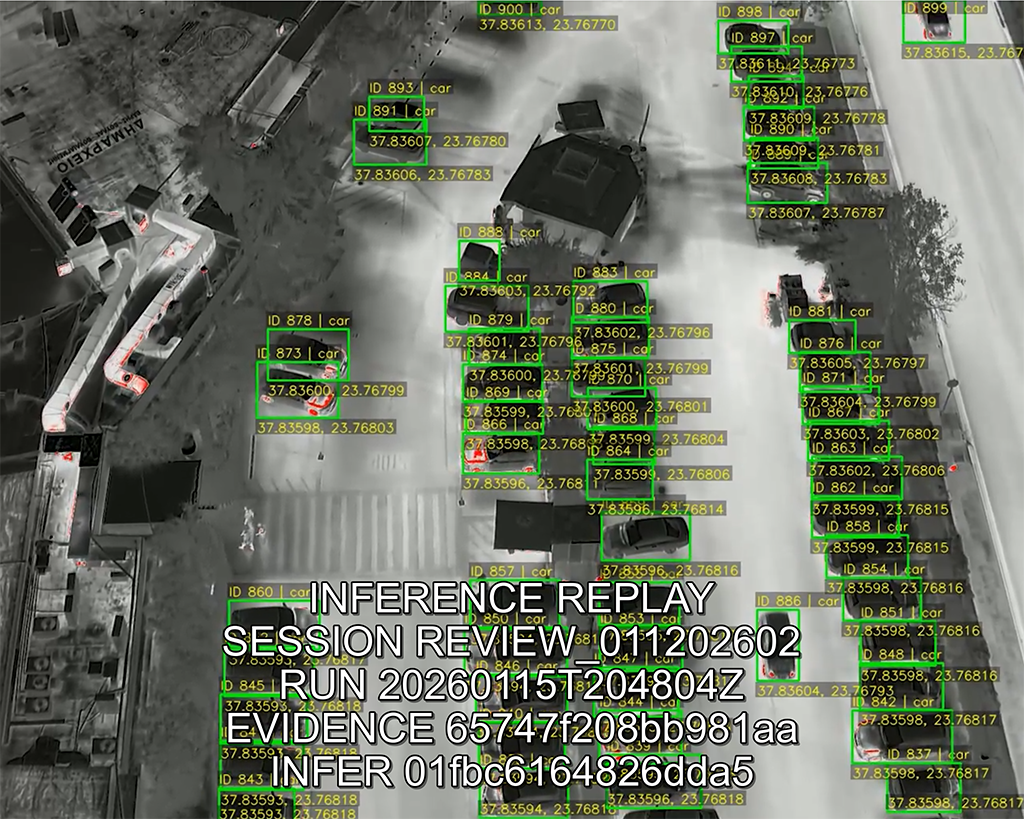
The kit generates replay artifacts and a signed checkout bundle:

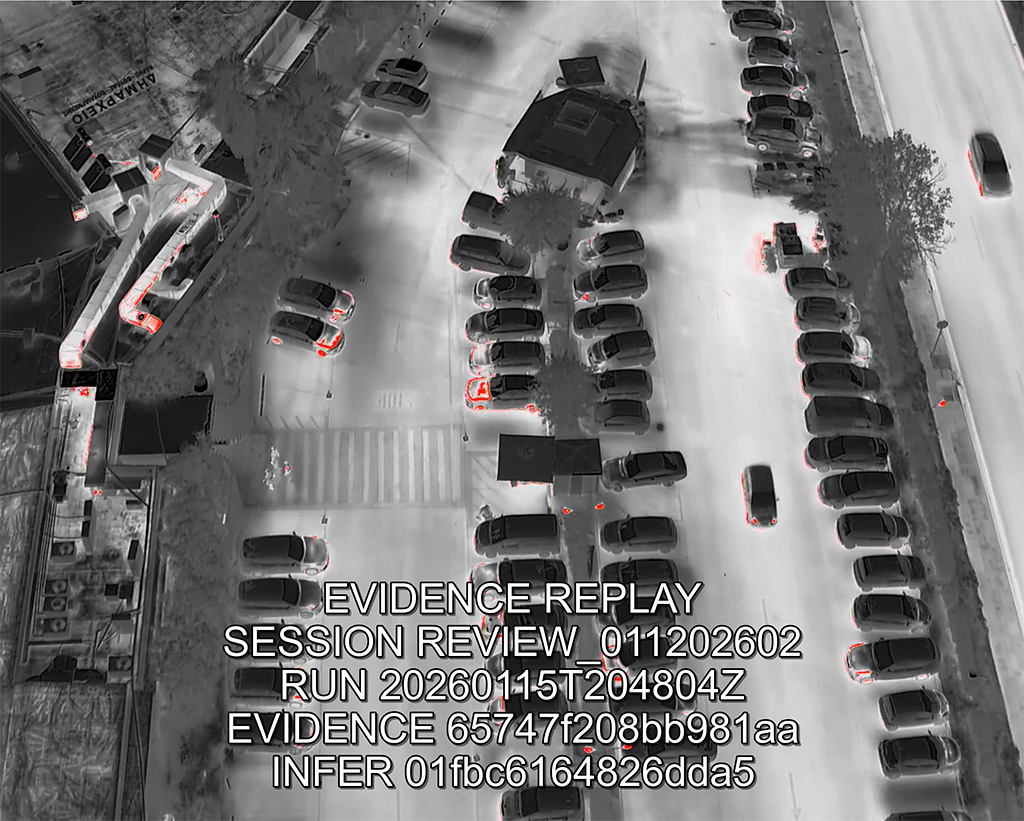
concatenated replay MP4s
stitched SRT
banner mux
checkout manifest + signature
ledger entry


This is the derivative output gate.

We strongly recommend
VLC Player for MP4 inspection with subtitles ON to view the evidence mux banners.
What TO SEND BACK

1) tamper_report.json

Paths are relative to your kit folder. Example: Windows C:\LokoKit\test\ | Linux: ~/LokoKit/test/
sessions\REVIEW_011202602\derived\tamper_runs\<RUN_ID>\tamper_report.json

2) checkout_manifest.json

sessions\REVIEW_011202602\derived\replay_runs\<RUN_ID>\checkout_manifest.json

3) checkout_manifest.sig

sessions\REVIEW_011202602\derived\replay_runs\<RUN_ID>\checkout_manifest.sig
At the end of the run, LokoKit prints the exact send_back paths.

You return these artifacts:

tamper_report.json
checkout_manifest.json
checkout_manifest.sig


What this proves

The .loko Evidence Package is structurally valid and internally consistent.

The evidence and provenance are cryptographically bound and verifiable offline.

Tampering is detected deterministically.

Replay outputs are treated as checked-out derivatives with signed receipts.

Result: verification becomes a binary outcome, not an opinion.


Send receipts.
Upload is preferred.
Email is fallback.


Machine-generated verification outputs suitable for internal forwarding.

Send receipts only,
Do not send any .loko packages or customer data.

If attachments are permitted, email those three files to:
receipts@loko.ai

Subject: LokoKit Receipts


Enter your evaluation code to mint a time-limited upload link.

Enter your evaluation code, then upload:

tamper_report.json
checkout_manifest.json
checkout_manifest.sig

How this maps to Acceptance Tests

This validation kit maps cleanly to AT1 through AT6

AT1 Byte flip: verification fails (tamper ritual includes byte flips)

AT2 Missing segment: verification fails and reports missing content (tamper ritual includes delete/rename)

AT3 Reorder: chain verification fails (tamper ritual includes swaps)

AT4 Replay consistency: replay checkout outputs a deterministic, check-out receipt (checkout manifest + signature)

AT5 Inference trace: provenance + inference artifacts are checked against expected digests; tampering breaks trace

AT6 Offline verification succeeds: strict verification runs offline and yields PASS or FAIL